
The BISP Program September 2025 is one of the biggest support programs in Pakistan. It gives monthly financial help to poor families. Many people are already part of this program, but the government has said that in September 2025, some families will need to re-register to keep getting the help
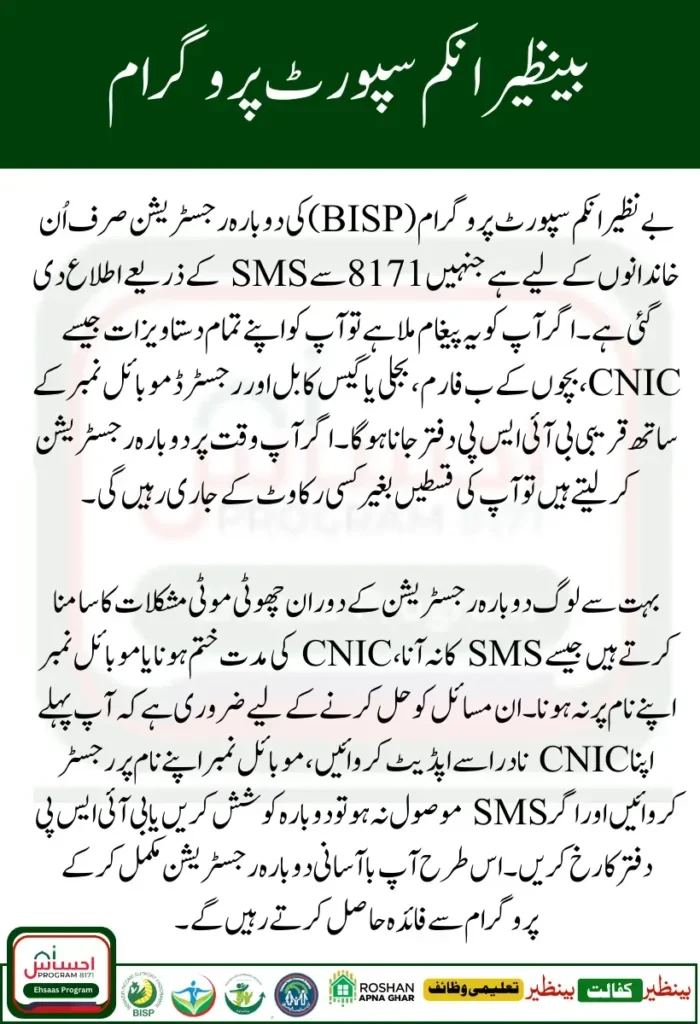
Who Should Re-Register for BISP in 2025?
Not everyone needs to re-register. Only some families are asked to update their information in September 2025. You may need to re-register if:
- Your family details have changed (for example, new children or a family member passed away).
- You moved to a new home or city.
- BISP sent you a message on 8171 asking you to re-register.
- Your CNIC expired, and you got a new one.
- You were blocked before, but are now eligible again.
👉 If you got a message from BISP 8171, it means you should re-register
Documents Needed for BISP Re-Registration
Before you go for Ehsaas or BISP re-registration, make sure you have these documents:
- Original and valid CNIC of the applicant.
- CNIC copies of your family members.
- Children’s B-Forms (if you have kids).
- Proof of address (like a utility bill).
- Mobile number registered in your name.
👉 Take extra photocopies of all documents so you don’t face any problems at the office
BISP Re-Registration: Step-by-Step Guide
Step 1 – Check if You Can Re-Register
Send your CNIC to 8171. You will get an SMS in a few minutes telling you if you need to re-register.
Step 2 – Go to the BISP Office or Use the Online Portal
If you need to re-register, visit your nearest BISP tehsil office. You can also use the BISP online portal. Staff there will help you.
Step 3 – Give Your Documents
Bring your CNIC, family details, and other papers. If online, upload scanned copies. Make sure all info is correct.
Step 4 – Verification
BISP will check your CNIC and family details. This can take a few days. If more info is needed, they will contact you on your mobile
Step 5 – Confirmation of Re-Registration
After BISP checks your details, you will get an SMS from 8171. This means your re-registration is done. Once confirmed, you will keep receiving your payments.
Extra Tips
- Keep your CNIC and family documents ready in case BISP asks for them.
- Make sure your mobile number is correct so you don’t miss any messages.
- If you move to a new home or city, update your address with BISP.
- Keep track of messages and dates so your registration stays active.
Doing these things will make re-registration simple and make sure you continue to get support.
Why Re-Registration in September 2025 is Needed
The government of Pakistan wants to make sure only families who really need help get BISP support. Some families may no longer need help, and some new families may now qualify. That’s why re-registration in September 2025 is important.
Re-registration helps the government to:
- Remove families who don’t need support anymore.
- Add new families who were left out.
- Keep the BISP database updated.
- Make sure payments go to the right people.
👉 If you re-register on time, your payments will continue. If you ignore the SMS or delay, your name may be removed from the program
Tips for Re-Registering in the Ehsaas Program
Tips for Ehsaas or BISP re-registration:
- Go to the office early to skip long lines.
- Take your original CNIC and photocopies.
- Check your details before you submit.
- Use your own mobile number.
- Read SMS from 8171 carefully.
These small steps will help you finish re-registration without problems
Common Issues and How to Fix Them
Many people face small problems during re-registration. Here are some common ones and their solutions:
Problem: No reply from 8171
Solution: Try again after some time or go to the nearest BISP office.
Problem: CNIC expired
Solution: Renew your CNIC from NADRA before re-registration.
Problem: Spelling mistake in the name
Solution: Fix it at NADRA first, then apply again.
Problem: Mobile number not in your name
Solution: Register your SIM on your own CNIC
Read More: BISP Payment Withdrawal from ATMs 2025
How to Check Re-Registration Status Online
After applying, you can check your BISP re-registration status online.
- Open the 8171 web portal.
- Type your CNIC number.
- Enter the code shown on the screen.
- Click on submit.
- Your re-registration status will be shown
Conclusion
The Benazir Income Support Program gives help to many families in Pakistan. To keep getting this help, you must re-register on time.
- Check if you got an SMS from 8171 for re-registration.
- Collect your documents before going to the BISP office.
- Steps are simple: check eligibility, visit the office or portal, submit papers, wait for verification, then confirm registration.
- Fix problems like expired CNIC or wrong details before you apply.
This way, your re-registration will be easy, and your payments will continue without any issue
FAQs
Q1: How do I know if I need to re-register?
You will get an SMS from 8171 if you need to re-register.
Q2: Which documents are needed?
You need your CNIC, copies of family CNICs, children’s B-Forms, and a proof of address like a bill.
Q3: Can I do re-registration online?
You can check your status online, but most people have to visit the BISP office to re-register.
Q4: What if my CNIC is expired?
First, renew your CNIC from NADRA. After that, you can re-register.
Q5: What if I don’t re-register?
If you don’t re-register, your payments will stop, and your name may be removed from the program